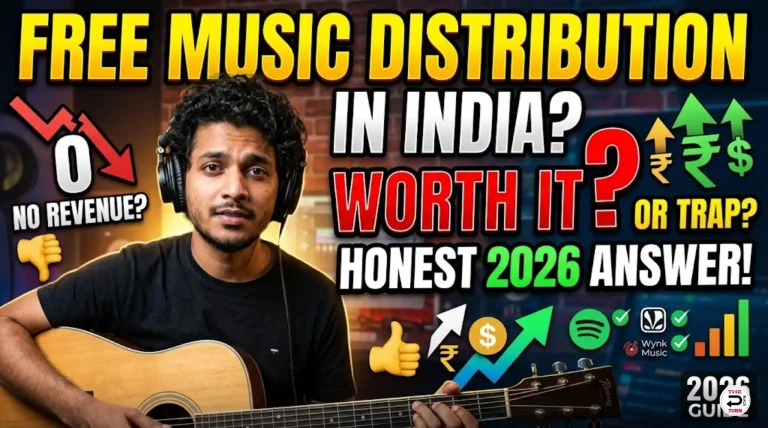
Spotify is the world’s largest music streaming platform with over 600 million active users across 180+ countries. For any independent artist in India, getting your music on Spotify is no longer optional — it is essential. But here is the thing that trips up most new artists: you cannot upload your song directly to Spotify.
Spotify does not have an open upload system for individual artists. Every song you hear on Spotify — from Arijit Singh to a bedroom producer in Lucknow — was delivered through an authorised music distributor. That is the only way in.
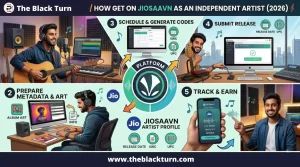
In this guide, we will walk you through the entire process of uploading your song on Spotify from India. From preparing your files to going live and earning royalties. If you are new to music distribution entirely, you may want to read our complete guide to music distribution in India first for the big picture.
Why Can’t You Upload Directly to Spotify?
This is the first question every new artist asks. The answer is straightforward: Spotify is a streaming platform, not a hosting service. They partner with licensed distributors and aggregators who handle the technical delivery, metadata formatting, royalty tracking, and rights management for millions of songs.
Think about it from Spotify’s perspective. They receive millions of song submissions. Managing individual relationships with every artist worldwide would be impossible. Distributors solve this problem by acting as trusted intermediaries between artists and the platform.
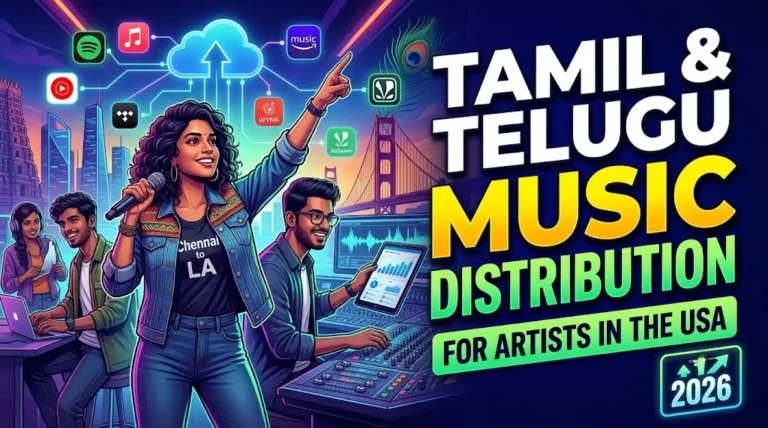
This actually works in your favour. A good distributor does not just put your song on Spotify. They also deliver it to 150+ other platforms simultaneously. So one upload gets you on Spotify, Apple Music, JioSaavn, Gaana, Wynk, YouTube Music, Instagram, TikTok, and dozens more.
Good to know: Spotify had a program called “Spotify for Artists Upload” that allowed direct uploads in some markets. This was discontinued. As of 2026, a distributor is the only way to get music on Spotify.
Things to prepare before uploading your song to spotify
Before you start the upload process, here are the following things you must prepare. Missing or incorrect files are the main reason for delays and rejections. Let’s go throught all these in details step by step:
1. Finished Audio File
- Format: WAV file (strongly recommended). Spotify accepts high-quality lossless audio through distributors. Some distributors also accept FLAC. Avoid MP3. It is a compressed format and most professional distributors will reject it.
- Sample Rate: 44.1kHz is the standard. Some premium distributors support 48kHz or even 96kHz for high-resolution audio.
- Bit Depth: 16-bit minimum, 24-bit preferred.
- Loudness: Target -14 LUFS for Spotify. If your master is louder than this, Spotify’s loudness normalisation will turn it down automatically, which can affect the dynamics of your track.
- Quality check: Listen to your final master audio on multiple devices — earphones, car speakers, laptop speakers, Bluetooth speakers. Check for clipping, distortion, unwanted silence at the beginning or end, and any audio glitches.
2. Cover Artwork
- Size: 3000×3000 pixels (square format). This is non-negotiable.
- Format: JPG or PNG.
- Resolution: Minimum 300 DPI for crisp display on all screen sizes.
- Content rules: No website URLs, no social media handles, no phone numbers, no pricing text, no logos of streaming platforms (like the Spotify logo), no blurry or pixelated images.
- Design advice: Your cover art is the first thing listeners see. Invest time or a small budget (₹500-1500 on Fiverr) to make it professional. Tools like Canva offer free templates specifically for album covers.
Common rejection reason: Artists often put their Instagram handle or website URL on the cover art. Spotify will reject this. Keep your artwork clean with just the song/album name and artist name if needed.
3. Complete Metadata
Metadata is the information that tells Spotify and listeners about your song. Prepare all of the following before starting:
| Field | What to Enter | Common Mistakes |
| Song Title | Exact title with correct capitalisation | Typos, ALL CAPS, adding ‘Official’ unnecessarily |
| Artist Name | Your stage name, consistently spelled | Changing spelling across releases |
| Featured Artists | Names of any featured performers | Forgetting to credit featured artists |
| Album/Single Name | Release title (even singles need this) | Leaving it blank |
| Genre | Primary + secondary genre | Choosing wrong genre hurts discovery |
| Language | Hindi, Punjabi, English, Tamil, etc. | Selecting wrong language |
| Release Date | At least 7–14 days in the future | Setting same-day release (no time for playlists) |
| Composer | Person who wrote the music | Missing credits |
| Lyricist | Person who wrote the lyrics | Crediting wrong person |
| Producer | Beat maker / music producer | Skipping production credits |
| Explicit Content | Yes if profanity present, No otherwise | Not marking explicit content |
4. A Reliable Music Distributor
You need an account with a music distribution service that is authorised to deliver music to Spotify. Not all distributors are equal. For Indian artists, consider these factors:
- Spotify delivery included :Every reputable distributor includes Spotify. But also check that they cover Apple Music, JioSaavn, Gaana, Wynk, and 150+ other platforms.
- Caller tune distribution : India-specific. If your distributor offers CRBT on Jio, Airtel, Vi, and BSNL, you get an additional revenue stream that international distributors do not provide.
- Royalty share : You should keep 85–95% of your royalties. Anything below 80% is not competitive.
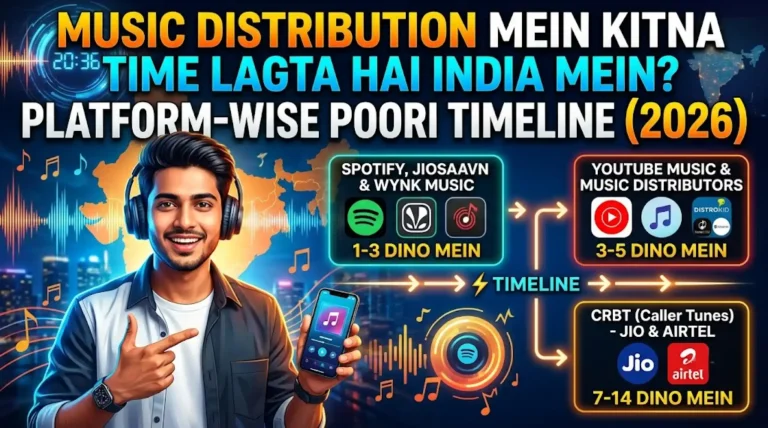
- Delivery speed : Best distributors deliver to Spotify in 1–3 days after approval. Standard is 5–7 days.
- YouTube Content ID : Essential for protecting and monetising your music on YouTube.
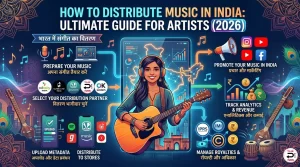
Step-by-Step: How to Upload Your Song on Spotify from India
You need to follow the below mentioned steps to upload your song on spotify from India. Now let us get into the actual upload process:
Step 1: Create Your Distributor Account
Go to your chosen distributor’s website and create an account. For example, on The Black Turn, you would visit the registration page and provide:
- Your full name and email address
- Phone number (for support and OTP verification)
- Bank account details (where your royalties will be deposited)
- PAN card number (required for Indian tax compliance)
- KYC documents if required by the distributor
Account creation is usually free on all distributors. You pay only while submitting a release.
Step 2: Start a New Release
Once logged into your distributor’s CMS (content management system), look for a button labelled “New Release”, “Upload”, or “Create Release”. Click it to begin.
You will be asked to select the release type:
- Single — One song. Most common for single new releases.
- EP — 2–6 songs grouped together.
- Album — 7 or more songs.
For your first release, a single is the best choice. It keeps things simple and lets you focus on promoting one track effectively.
Step 3: Upload Your Audio File
Upload your WAV file. Depending on your internet speed and file size, this can take a few minutes. Important points:
- Do not close the browser tab during upload.
- Ensure your file name is clean and identifiable (e.g., “SongName_ArtistName_Master.wav”).
- If the upload fails, check your internet connection and try again. Most platforms allow you to resume.
Step 4: Upload Your Cover Artwork
Upload your 3000×3000 JPG or PNG artwork. The distributor will preview how it looks. Check that it appears correctly — no cropping issues, text is readable, colours look right.
Step 5: Fill in All Metadata
This is where most mistakes happen. Take your time and fill in every field carefully using the metadata you prepared earlier. Pay special attention to:
- Spelling of artist name — This must be exactly the same across all your releases. “Ravi Kumar” and “Ravi kumar” are treated as different artists by Spotify.
- Release date — Set it at least 2–3 weeks in the future. This gives you time to submit to Spotify’s editorial playlists through Spotify for Artists (more on this below).
- Genre selection — Choose accurately. If you make Indian hip-hop, select Hip Hop as primary and Indian as secondary. Wrong genre classification hurts your discoverability on Spotify.
Step 6: Select Platforms
Your distributor will show you a list of all available platforms. For maximum reach, select all platforms. There is no benefit to limiting your distribution. Even if your primary goal is Spotify, having your music on JioSaavn, Gaana, Apple Music, and Instagram simultaneously increases your overall streams and visibility.
If your distributor offers caller tune distribution, select that option as well. Choose 3-4 clips of 30-45 seconds from your song. Typically the chorus, the hook, or the most catchy sections.
Step 7: Review and Submit
Before hitting submit, review every single detail:
- Is the song title spelled correctly?
- Is the artist name consistent with your other releases?
- Are all credits (composer, lyricist, producer) accurate?
- Is the release date far enough in the future for playlist pitching?
- Does the cover art look professional and follow guidelines?
- Have you selected all platforms including caller tune?
Once satisfied, complete your payment and submit. Your distributor will now review your submission.
Step 8: Wait for Approval
Your distributor’s quality assurance team will check your audio quality, artwork compliance, and metadata accuracy. This typically takes 24-48 hours. If everything is in order, your release gets approved and delivered to Spotify.
If rejected, you will receive a reason (wrong metadata, audio issues, artwork violation). Fix the issue and resubmit. Common rejection reasons:
- Cover art contains social media handles or website URLs
- Audio file has clipping or distortion
- Metadata is incomplete or contains special characters
- Song contains uncleared copyrighted samples
Step 9: Your Song Goes Live on Spotify
After approval, Spotify typically takes 3-5 additional days to process and make your song available. On your release date, your song will appear on Spotify, searchable by your artist name and song title.
You will receive your unique Spotify song link, which you can share on social media, WhatsApp, and everywhere else to drive listeners.
How to Claim Your Spotify for Artists Profile
This is a step many Indian artists skip, and it costs them dearly. Spotify for Artists is a free dashboard that gives you control over your artist profile and access to powerful tools. Here is how to claim it:
- Go to artists.spotify.com and click “Get Access”.
- Search for your artist name on Spotify. Your song must already be live or in the process of being delivered.
- Verify your identity : Spotify will ask you to confirm through your distributor or social media profiles.
- Wait for approval : Verification usually takes 24–72 hours.
- Access your dashboard : Once verified, you have full access.
What Can You Do with Spotify for Artists?
- Customise your profile : Add a bio, profile photo, header image, and artist’s pick (pin a song or playlist to the top of your profile).
- Submit to editorial playlists : This is the biggest advantage. You can pitch your unreleased song directly to Spotify’s editorial team for consideration in playlists like New Music Friday India, Punjabi Hits, Indie India, and more. You can only pitch songs that have not been released yet, which is why setting a future release date is critical.
- Access analytics : See how many streams you are getting, where your listeners are located, their age and gender demographics, which playlists are driving streams, and how many people saved your song.
- Canvas videos :Add a short looping video that plays behind your song. This significantly increases engagement.
- Marquee campaigns : Paid promotional tool within Spotify to reach new listeners (available in select markets).
Critical Tip: Submit your song to Spotify’s editorial playlists at least 7 days before the release date. You can only do this through Spotify for Artists, and only for unreleased songs. This is why rushing your release date is a mistake.
How to Get Your Song on Spotify Playlists
Playlists are the primary driver of streams on Spotify. Getting on even one popular playlist can transform your numbers overnight. There are three types of playlists to target:
1. Editorial Playlists (Spotify’s Own)
These are curated by Spotify’s in-house editorial team. Examples for Indian artists include New Music Friday India, Desi Hip Hop, Punjabi Hits, Bollywood Butter, and Indie India. You pitch through Spotify for Artists before your release date. Acceptance rates are low, but the payoff is massive i.e. thousands or even millions of streams.
2. Algorithmic Playlists (Personalised)
Discover Weekly, Release Radar, and Daily Mix are generated by Spotify’s algorithm based on listener behaviour. You cannot directly pitch to these, but they respond to engagement signals: save rate, repeat listens, playlist adds, and share rate. The more your listeners engage with your song, the more Spotify’s algorithm promotes it.
3. Independent/User Playlists
Thousands of independent playlist curators on Spotify accept submissions. Tools like SubmitHub, Playlist Push, and Groover let you pitch to these curators. Some are free, some charge a small fee. Even small playlists with 500–1000 followers can drive meaningful streams and trigger algorithmic promotion.
Strategy: Focus on getting your initial 1000 streams from independent playlists, your own social media promotion, and personal network. Once Spotify’s algorithm detects consistent engagement, it starts placing your song in Discover Weekly and Release Radar automatically.
How Much Does Spotify Pay Indian Artists Per Stream?
Spotify does not pay a fixed rate per stream. The actual amount depends on several factors: the listener’s country, whether they are on a free or premium plan, the total number of streams on Spotify that month, and your distributor’s royalty share.
Here are realistic approximate figures for Indian listeners in 2026:
| Listener Type | Per Stream (INR) | Per 1000 Streams |
| Free Tier (Ad-supported) | ₹0.05 – ₹0.10 | ₹50 – ₹100 |
| Premium Individual | ₹0.15 – ₹0.25 | ₹150 – ₹250 |
| Premium Family/Duo | ₹0.10 – ₹0.18 | ₹100 – ₹180 |
| International Listeners | ₹0.30 – ₹0.60 | ₹300 – ₹600 |
International streams pay significantly more than Indian streams because Spotify’s subscription prices are higher in countries like the US, UK, and Europe. This is why building a global audience, even a small one, can meaningfully boost your earnings.
Realistic Earning Examples
| Monthly Streams | Estimated Monthly Earning | Annual Earning |
| 10,000 | ₹1,500 – ₹2,500 | ₹18,000 – ₹30,000 |
| 50,000 | ₹7,500 – ₹12,500 | ₹90,000 – ₹1,50,000 |
| 1,00,000 | ₹15,000 – ₹25,000 | ₹1.8L – ₹3L |
| 5,00,000 | ₹75,000 – ₹1,25,000 | ₹9L – ₹15L |
| 10,00,000 | ₹1.5L – ₹2.5L | ₹18L – ₹30L |
These figures are from Spotify alone. When you add earnings from Apple Music, JioSaavn, Gaana, YouTube Content ID, caller tunes, and other platforms, total revenue is significantly higher. This is why distributing to all platforms — not just Spotify — is important.
How to Promote Your Song on Spotify After Upload
Getting your song on Spotify is just the beginning. Without active promotion, your song will sit with zero streams. Here are proven promotion strategies that work for Indian artists:
Before Release
- Create a pre-save link — Use tools like Feature.fm or ToneDen to create a link where fans can pre-save your song. When it releases, it automatically appears in their Spotify library and triggers a Release Radar placement.
- Post teasers on Instagram Reels and YouTube Shorts — 15–30 second clips of your song with engaging visuals. Post 3–4 teasers in the week before release.
- Announce on WhatsApp Status and groups — In India, WhatsApp is the most powerful direct promotion tool. Share your pre-save link to all relevant groups and your personal status.
- Pitch to Spotify editorial playlists through Spotify for Artists (must be done 7+ days before release).
On Release Day
- Share the Spotify link everywhere — Instagram Story, Reels, WhatsApp, Twitter, Facebook, YouTube community post.
- Ask your close network to save the song (not just stream it). The save-to-stream ratio is a critical signal for Spotify’s algorithm.
- Post a YouTube lyric video or visualiser with a link to Spotify in the description.
After Release (Ongoing)
- Submit to independent playlist curators : Use SubmitHub, Playlist Push, or reach out to curators on Instagram directly.
- Keep posting content around the song : Behind-the-scenes videos, studio clips, lyric explanation, fan reaction videos. Each piece of content drives listeners back to Spotify.
- Collaborate with other artists : Feature exchanges expose your music to each other’s audiences.
- Run an Instagram Reels series : Using your song as the background audio. Encourage fans to use it in their Reels too.
8 Mistakes to Avoid When Uploading on Spotify India
1. Rushing the release date
Setting a release date too soon means you miss out on Spotify editorial playlist consideration. Always set your release date at least 2–3 weeks in the future.
2. Inconsistent artist name
If your first release says “Rahul Verma” and your second says “rahul verma” or “RAHUL VERMA”, Spotify creates separate artist profiles. You lose all your followers and stream history. Be consistent from day one.
3. Ignoring Spotify for Artists
Not claiming your Spotify for Artists profile means you cannot customise your page, access analytics, or pitch to editorial playlists. This is free and takes 5 minutes. There is no excuse not to do it.
4. Only distributing to Spotify
Some artists think Spotify is enough. It is not. Indian listeners are spread across JioSaavn, Gaana, Wynk, YouTube Music, and Apple Music. Distribute to all platforms to maximise your reach and revenue.
5. Skipping caller tune distribution
If you are an Indian artist and your distributor offers caller tune (CRBT) distribution, always opt for it. Millions of Indian mobile users actively use caller tunes, and the royalties add up.
6. No promotion plan
Uploading your song and waiting for streams to appear magically does not work. Plan your promotion before, during, and after release day. Every successful independent artist treats promotion as half the job.
7. Poor audio quality
Uploading an unmastered track or a low-quality MP3 will hurt your professional image. Listeners notice audio quality, even subconsciously. Invest in proper mixing and mastering before distributing.
8. Not reading the distributor’s terms
Some distributors bury unfavourable terms in their contracts — rights ownership clauses, lock-in periods, or hidden fees. Always read the terms of service before signing up. A legitimate distributor will never claim ownership of your music.
Frequently Asked Questions
Can I upload a song on Spotify for free?
Some distributors offer free plans, but they typically take a commission (10-20%) from your royalties or offer limited platform coverage. Paid plans in India start as low as ₹499 per song with lifetime distribution and 95% royalty share, which is often better value in the long run.
How long does it take for my song to appear on Spotify?
After your distributor approves your submission (24-48 hours), Spotify usually takes 3-5 additional days to make the song available. Total time from upload to live: approximately 5-7 days. Plan accordingly.
Can I change my song after it is live on Spotify?
You can update metadata like song title, genre, and credits through your distributor. However, you cannot replace the audio file. If you need to change the actual song, you will have to take it down and re-upload as a new release, which means losing your stream count.
What format does Spotify require for audio?
Spotify internally transcodes everything to Ogg Vorbis format for streaming. However, they require high-quality source files from distributors. Upload a WAV file (44.1kHz, 16-bit or 24-bit) through your distributor for the best results.
Do I need a record label to get on Spotify?
No. Any independent artist can get on Spotify through a music distribution service. In fact, most independent artists in India use distributors directly and retain full ownership of their music and royalties.
Can I see who streamed my song on Spotify?
You cannot see individual listener identities. However, Spotify for Artists gives you aggregate data: total streams, listener demographics (age, gender, location), which playlists are driving streams, and how listeners found your song (search, playlist, album page, etc.).
What happens if my song gets rejected?
Your distributor will tell you the reason for rejection. Fix the issue (metadata error, artwork problem, audio quality) and resubmit. Most rejections are minor and resolved within one resubmission.
Can I upload cover songs to Spotify?
Yes, but you need a mechanical license from the original copyright holder. Your distributor may help facilitate this. Uploading a cover without proper licensing can result in a takedown and potential legal issues.
Ready to Upload Your Song on Spotify?
Getting your music on Spotify from India is not complicated once you understand the process. Prepare your audio and artwork properly, choose a reliable distributor, fill in your metadata accurately, and give yourself enough time for playlist pitching.
Get started with The Black Turn and distribute your song to Spotify, Apple Music, JioSaavn, Gaana, Wynk, and 150+ platforms with caller tune distribution on all Indian networks. One-time payment, 95% royalty, lifetime distribution, and same-day delivery available for urgent releases.
Your music deserves to be heard. The tools and platforms are ready. The only thing missing is your song on Spotify.