You know what a caller tune is. You know it can make you money. But how exactly does your song go from an audio file to a working caller tune on 1 billion+ phones across India?
That is what this guide covers means the actual distribution process. Not the revenue side (we covered that in our earning guide), not the sales pitch. Just the practical, step-by-step process of getting your music distributed as a caller tune on Jio, Airtel, Vi, and BSNL.
If you are still deciding whether caller tunes are worth your time, read our caller tune revenue guide first. Spoiler: they are worth it.
What You Need Before Starting CRBT Distribution
Before you submit anything, make sure you have these ready:
1. Your Finished Song
The same WAV file you use for streaming distribution works for CRBT. No separate format needed. Your distributor will handle the conversion and clipping.
2. Ownership / Rights Clearance
You must own full rights to the song for both the composition and the recording. This means original music only. No unlicensed covers, no unauthorised remixes, no songs using non-exclusive beats without proper agreements. Telecom operators require NOC (No Objection Certificate) and copyright documentation. Your distributor typically handles this paperwork.
3. An Indian Distributor That Supports CRBT
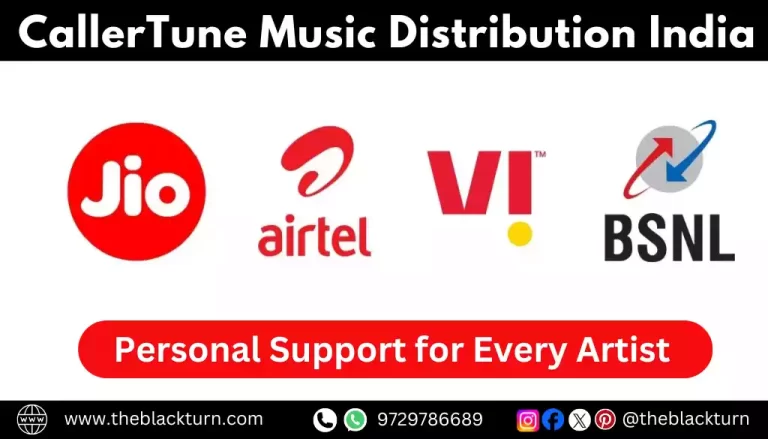
This is non-negotiable. You cannot submit caller tunes directly to Jio, Airtel, Vi, or BSNL. You need a distributor registered with these telecom networks. International distributors (DistroKid, TuneCore, CD Baby, RouteNote) do not offer this.
The Black Turn distributes to all four networks as part of their standard music distribution package means no extra charge, one-time payment, lifetime availability.
4. Clip Selection Ready
You will need to identify which 30–45 second portions of your song will become caller tunes. We will cover how to choose the best clips below, but start thinking about it now. Most distributors let you select 3–5 clips per song.
How CRBT Distribution Works Behind the Scenes
Understanding the technical pipeline helps you troubleshoot problems and set realistic timelines. Here is what happens after you hit “submit”:
| # | Stage | What Happens | Timeline |
| 1 | You upload song | Audio file + artwork + metadata uploaded to distributor CMS | 10 minutes |
| 2 | Clip selection | You or distributor selects 30-45 sec CRBT clips from the song | Same day |
| 3 | Distributor QC | Audio quality, metadata, rights verification checked | 24–48 hours |
| 4 | DLT compliance | Distributor prepares NOC, copyright docs, CRBT format files for telecom submission | 1–2 days |
| 5 | Network submission | Clips + docs submitted to Jio (via JioSaavn), Airtel (via Wynk), Vi (via Gaana), BSNL (direct) | Same day |
| 6 | Network review | Each telecom operator reviews content, copyright, audio quality | 3–10 days |
| 7 | CRBT codes generated | Network assigns unique codes for each clip on each network | 1–2 days |
| 8 | Live on networks | Users can search and set your song as their caller tune | Total: 7–14 days |
Important detail: Jio Tune is delivered through JioSaavn. This means your song MUST be on JioSaavn for Jio CRBT to work. If your song was distributed to JioSaavn by a different distributor, your CRBT distributor may need to handle the JioSaavn delivery as well. Similarly, Airtel Hello Tune is linked to Wynk, and Vi Caller Tune to Gaana. Your distributor manages all of this.
Step-by-Step: How to Distribute Your Caller Tune
Step 1: Choose Your Distributor and Create Account
Select an Indian distributor that offers CRBT to all four networks. The Black Turn includes caller tune distribution in their standard package. Register with your email, phone, bank details, and PAN card.
Step 2: Start a New Release
Log into the distributor’s CMS (content management system). Click “New Release” and upload your WAV audio file and 3000×3000 cover artwork. Fill in all metadata i.e. song title, artist name, genre, language, credits.
Step 3: Enable Caller Tune / CRBT Option
During the platform selection step, you will see options for streaming platforms (Spotify, Apple Music, JioSaavn etc.) AND caller tune/CRBT. Make sure CRBT is enabled. Some CMS interfaces list it separately; others include it under “All Platforms.” If you are unsure, contact your distributor before submitting.
Step 4: Select Your CRBT Clips
This is the most important creative decision in the entire process. You need to select which portions of your song become caller tunes. Here is how to choose well:
| Clip # | What to Select | Why |
| Clip 1 (Primary) | Chorus / main hook | This is what 80% of users will choose. Make it your strongest section. |
| Clip 2 | Pre-chorus into chorus | Builds anticipation. Works great for emotional songs. |
| Clip 3 | Verse 1 (catchiest verse) | Some users prefer the story/lyrics over the hook. |
| Clip 4 | Bridge or beat drop | For songs with a distinctive instrumental moment. |
| Clip 5 (if applicable) | Intro (if strong enough) | Only if your intro is memorable enough to stand alone as 30 sec. |
Clip quality matters: Each clip should sound complete on its own. It should not start mid-word or cut off abruptly. The best CRBT clips have a clean start point, a memorable musical moment, and a natural fade or ending. Listen to each clip as if you were hearing it during a phone call.
Step 5: Submit and Wait for Approval
Complete payment (if applicable) and submit your release. Your distributor will review your submission (24–48 hours), prepare the required documentation, and submit to all four telecom networks simultaneously.
Step 6: Receive Your CRBT Codes
Once each network approves your caller tune, your distributor will provide you with unique CRBT codes. These codes are what users send via SMS to set your song. You will typically receive separate codes for each clip on each network.
Example format:
- Jio: Dial *388# and search for your song on JioSaavn, or use the JioSaavn app
- Airtel: Send SMS “SET [code]” to 56789
- Vi: Use the Gaana app or send SMS to 56789
- BSNL: Send SMS “SET [code]” to 56700
Step 7: Promote Your Caller Tune Codes
Your caller tune is live. Now actively promote it. Share codes on Instagram, WhatsApp, YouTube, and in your music video descriptions. More downloads = more revenue = more passive promotion through every phone call.
Network-by-Network: Technical Details
Jio Tune (via JioSaavn)
- Subscribers: 410M+
- Linked platform: JioSaavn — your song must be live on JioSaavn
- How users set it: JioSaavn app → Find song → Tap “Set as Jio Tune”. Or dial *388#
- Subscription fee: ₹49/month (charged to Jio subscriber)
- Approval time: 7–10 days typically
- Special requirement: Song must be delivered to JioSaavn through the same distributor handling CRBT. If your song is already on JioSaavn via another distributor, it may need to be taken down and re-delivered.
For the complete JioSaavn + Jio Tune connection, read our JioSaavn distribution guide.
Airtel Hello Tune (via Wynk Music)
- Subscribers: 330M+
- Linked platform: My Airtel App
- How users set it: Wynk app → Find song → “Set as Hello Tune”. Or SMS “SET [code]” to 56789
- Subscription fee: ₹36/month
- Approval time: 7–14 days
- Note: Airtel’s Hello Tune service has been active since 2004. It has one of the most mature CRBT ecosystems in India.
Vi Caller Tune (via Gaana)
- Subscribers: 240M+ (Vodafone + Idea combined)
- Linked platform: Gaana
- How users set it: Gaana app → “Set as Caller Tune”. Or dial 56789
- Subscription fee: ₹36/month
- Approval time: 7–14 days
BSNL Tune
- Subscribers: 110M+
- Linked platform: Direct submission (no linked streaming platform)
- How users set it: SMS “SET [code]” to 56700
- Subscription fee: ₹30/month
- Approval time: 10–14 days
- Note: BSNL has the slowest approval but the lowest subscription fee, making it accessible to budget-conscious users in Tier 3 and rural areas.
Already Distributed Your Song? How to Add Caller Tune
Many artists distributed their music through DistroKid, TuneCore, or another international distributor and now want to add caller tunes. Here is how to handle this:
Option 1: Distribute CRBT Through a Separate Indian Distributor
You can keep your streaming distribution with your current distributor and use an Indian distributor only for caller tune distribution. However, there is a catch: Jio Tune requires JioSaavn delivery through the same distributor handling CRBT. This means your Jio Tune distributor will need to deliver (or re-deliver) to JioSaavn.
Option 2: Switch Everything to an Indian Distributor
The cleaner approach. Move all your distribution — streaming + CRBT to one Indian distributor like The Black Turn. This avoids the JioSaavn conflict and gives you one dashboard, one payment, one support contact for everything. Use the same ISRC codes when re-uploading to preserve stream counts and playlist placements.
For the switching process, our CD Baby vs DistroKid vs The Black Turn comparison has a detailed “How to Switch Distributors” section.
Why Caller Tunes Get Rejected (and How to Fix It)
1. Copyright Issues
Telecom operators are strict about rights. If your song contains uncleared samples, non-exclusive beats, or is a cover without a mechanical license, it will be rejected. Fix: only distribute original music you fully own. If you used a beat, ensure you have an exclusive license agreement.
2. Audio Quality Problems
Clipping, distortion, excessive noise, or very low volume will trigger rejection. The CRBT clips are played through phone speakers during calls, audio quality issues are more noticeable than on streaming platforms. Fix: ensure your song is properly mastered before distribution.
3. Clip Starts or Ends Abruptly
If your selected clip starts mid-word, ends mid-note, or has an awkward cut point, it may be rejected. Fix: choose clip boundaries that fall on natural musical breaks such as between phrases, at the start of a section, or where there is a natural pause.
4. Content Violations
Extremely explicit content, hate speech, or politically sensitive material may be rejected by telecom operators. Explicit language in moderation is usually accepted (same standards as streaming), but operators are slightly more conservative than Spotify or JioSaavn because caller tunes play involuntarily to callers.
5. Metadata Mismatch
If your song title, artist name, or other details do not match between the streaming submission and the CRBT submission, operators may flag it. Fix: ensure all metadata is consistent across streaming and caller tune distribution.
The Smart Release Strategy: Streaming + CRBT Together
Here is the optimal release workflow that maximises both streaming and caller tune revenue:
- 3 weeks before release: Upload your song with CRBT enabled. Set the streaming release date 3 weeks ahead (for Spotify playlist pitching). CRBT submission starts processing simultaneously.
- 2 weeks before release: Pitch your unreleased song to Spotify editorial playlists through Spotify for Artists.
- 1 week before release: Tease on Instagram Reels and WhatsApp. Build anticipation.
- Release day: Song goes live on all streaming platforms. Start promoting with streaming links.
- 1–2 weeks after release: Caller tunes go live on all four networks (slightly later than streaming). Receive CRBT codes from distributor.
- After CRBT codes received: Add CRBT codes to all promotional materials. Share on Instagram, WhatsApp, YouTube. Run both streaming + caller tune promotion simultaneously.
This timeline aligns perfectly with the overall distribution process described in our music distribution guide for India.
Key insight: Streaming platforms and caller tunes feed each other. People who hear your caller tune on a phone call often search for the full song on Spotify or JioSaavn. People who discover your song on streaming may set it as their caller tune. Running both simultaneously creates a compounding discovery loop.
How to Track Your Caller Tune Performance
Unlike Spotify or Apple Music which provide detailed real-time analytics, caller tune data is less transparent. Here is what you can track and how:
- Download numbers: Your distributor’s dashboard should show CRBT downloads per network (may be delayed by 1–2 months)
- Revenue reports: Distributor provides quarterly or monthly CRBT royalty statements
- Manual checks: Search for your song in the JioSaavn, Wynk, and Gaana apps. Check if the “Set as Caller Tune” button is active this confirms your CRBT is live on that network
- CRBT code testing: Have friends on different networks send the SMS code to verify the caller tune is working. Call someone who has set it to confirm it plays correctly
If something seems wrong such as song not appearing, code not working, no revenue showing up then contact your distributor. Common issues include delayed network processing, JioSaavn delivery conflicts, or metadata mismatches.
Frequently Asked Questions
How do I distribute my song as a caller tune?
Use an Indian distributor that supports CRBT, like The Black Turn. Enable the caller tune option during upload, select your clips, and submit. Your distributor handles the rest. Caller tune goes live in 7-14 days.
What audio format is needed for caller tunes?
Same WAV file as streaming. Your distributor converts the selected 30-45 second clips into the correct format for each telecom operator. No separate file preparation needed from your side.
Can I make a caller tune from an already distributed song?
Yes. You can add CRBT distribution separately. For Jio Tune, your song must be on JioSaavn through the same distributor handling CRBT. If there is a conflict, switching to one Indian distributor for both streaming + CRBT is the cleanest solution.
How many clips can I create?
Typically 1-3 clips of 30–45 seconds each. Always include the chorus/hook as your primary clip. More clips = more options for users = potentially more downloads.
How long does it take?
7–14 business days from distributor submission to caller tune going live. Jio is typically fastest (7–10 days), BSNL slowest (10–14 days).
What is a CRBT code?
A unique identifier for your caller tune on each network. Users SMS this code to a specific number (like 56789 for Airtel) to set your song as their caller tune. Your distributor provides these codes after the tune goes live.
Can cover songs be caller tunes?
Only with a mechanical license from the original copyright holder. Without proper licensing, telecom operators will reject the submission. Stick to original music for caller tunes.
Is caller tune distribution one-time or recurring?
With The Black Turn, it is included in a one-time fee (₹599-799) with lifetime availability. No annual renewals. Some distributors charge CRBT as a separate add-on.
Get Your Caller Tune Live on All Indian Networks
The caller tune distribution process is straightforward when you use the right distributor. One upload, one payment, all four networks. Your song becomes a caller tune that earns revenue and promotes your music with every phone call across India.
Distribute your music with The Black Turn caller tune distribution on Jio, Airtel, Vi, and BSNL included in every music distribution package. Plus Spotify, Apple Music, JioSaavn, and 150+ streaming platforms. One-time payment, 95% royalties, lifetime distribution.
Want to understand the revenue side? Read our caller tune revenue guide for Indian artists.