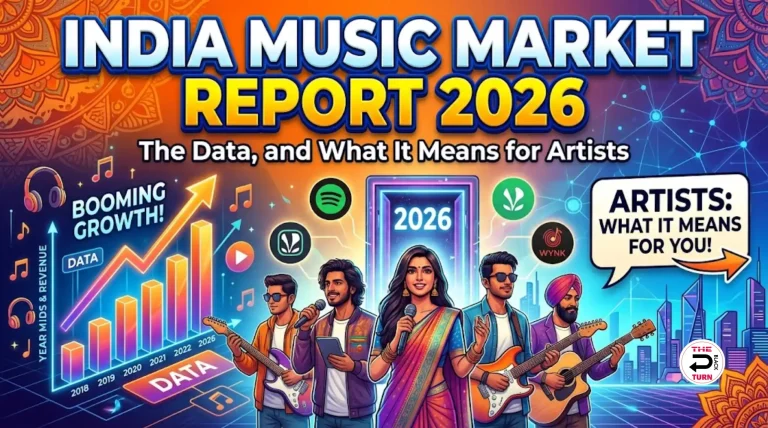
Aapne ek mast gaana banaya hai. Recording ho gayi, mixing bhi sahi hui, aur ab woh laptop mein bas pada hai. Aap chahte ho ki yeh gaana Spotify pe aaye, log sune, royalty bhi mile, aur shaayad ek din viral bhi ho jaaye. Lekin question hai: Spotify pe gaana kaise upload karein?
Bohot saare new artists ye galat samajhte hain ki Spotify pe directly account banakar gaana daal sakte hain. Aisa nahi hota. Spotify direct uploads accept nahi karta. Ek music distributor ki madad chahiye hoti hai jo aapke beech ka bridge hai.
Yeh complete Hindi guide aapko har step bataayegi: distributor kaise chunein, file kaisi honi chahiye, metadata kya bharein, ISRC code kya hai, royalty kab milegi, common galtiyaan kya hain, aur 2026 mein Spotify pe successful release ka pura process. Padhne ke baad aapko apne gaane ko Spotify pe daalne mein kabhi confusion nahi hogi.
Pehle Ye Samjho. Spotify Pe Direct Upload Kyu Nahi Hota?
Spotify, Apple Music, JioSaavn, aur duniya ke saare badi streaming platforms direct uploads accept nahi karte. Iske 4 reasons hain:
- Quality control: Platforms ko corrupted ya low-quality audio se bachna hota hai
- Copyright protection: Distributor verify karta hai ki gaana aap hi ka hai aur copyright clear hai
- Metadata accuracy: Sahi metadata (song name, artist name, language, genre) format mein deliver karna
- Royalty calculation: Sirf verified rights holders ko hi royalty di ja sakti hai
Yeh kaam distributor karta hai. Distributor ek middleman service hai jo aapka gaana le, verify kare, aur Spotify aur baaki platforms pe deliver kare. Iske liye distributor ek small fee leta hai aur royalty mein se kuch percentage rakhta hai.
Sahi Distributor Kaise Chunein?
Yeh sabse important decision hai. Galat distributor chunne se aapko years tak pareshani ho sakti hai. Sahi distributor mein in 6 cheezein dekho:
1. India-Focused Hai Ya Nahi
Indian artists ke liye sirf Spotify pe upload karna kaafi nahi hai. Aapko caller tune (CRBT) distribution bhi chahiye Jio, Airtel, Vi, BSNL pe. International distributors jaise DistroKid, TuneCore, CD Baby caller tune offer nahi karte. Sirf Indian distributors caller tune dete hain.
2. Pricing Model: Per Release Vs Annual
| Pricing Model | Cost | Risk |
| Per Release (Indian) | ₹599 to ₹1,500 per release | Koi risk nahi. Lifetime live |
| Annual Subscription (International) | ₹1,500 to ₹3,500 per year | Subscription band ho to gaana hata diya jaata hai |
Hamari Sifaarish: Per release model chunein. Ek baar pay kiya, gaana lifetime live rahega. Annual subscription mein agar aap pay nahi kar paaye to streams gone, royalty gone, sab kuch gone.
3. Royalty Pass-Through Percentage
Distributor royalty mein se apna cut leta hai. Best distributors 95 percent royalty artists ko dete hain. Worst services 50-70 percent rakhte hain apne paas. Aapko clearly pata hona chahiye distributor ka cut kya hai.
4. YouTube Content ID Included
YouTube Content ID aapke gaane ka fingerprint database mein register karta hai. Jab koi fan aapka gaana use karke video banaata hai, automatically aapko ad revenue milta hai. Yeh free hona chahiye distributor ke saath.
5. Spotify For Artists Verification Help
Achha distributor aapko Spotify For Artists mein faster verification mein help karta hai. Without help, verification 7-14 din leti hai. Distributor support se 24-48 ghante mein ho jaati hai.
6. Customer Support Hindi Mein
International distributors ka support sirf English mein hai aur foreign time zones mein. Indian distributors Hindi mein support dete hain Indian working hours mein. Yeh huge difference hota hai jab koi problem aati hai.
Hamne saare popular distributors ka detailed comparison kiya hai. CD Baby vs DistroKid vs The Black Turn ka complete comparison padhein apne liye sahi distributor chunne ke liye.
Spotify Upload Se Pehle Ye 6 Cheezein Tayyar Karo
1. Audio File (WAV Format)
- Format: WAV ya FLAC (MP3 nahi, MP3 se quality kharab hoti hai)
- Sample rate: 44.1 kHz (CD quality) ya 48 kHz
- Bit depth: 16-bit ya 24-bit
- Mastering: Properly mastered hona chahiye, peak -1 dB ke neeche, LUFS approximately -14
- Duration: Spotify minimum 30 seconds maintain karta hai. Maximum no limit, lekin 3-5 minutes typical hai
2. Cover Artwork (3000×3000 Pixels)
- Size: 3000×3000 pixels minimum (square format)
- Format: JPG ya PNG
- File size: 10MB se kam
- Color: sRGB color space
- Content rules: Koi website URL nahi, koi social media handle nahi, koi explicit content nahi
Cover art mein ye galtiyaan mat karna: Spotify reject kar deta hai agar cover mein dikhti hain: phone numbers, email addresses, website links, social media handles, copyrighted images (movie posters, brand logos), low-resolution blurry images. Original artwork rakhein. Canva par 30 minutes mein achhi cover bana sakte ho free mein.
3. Song Metadata Information
- Song title: Aapke gaane ka exact name
- Artist name: Stage name ya real name. Future ke saare gaano mein same use karna
- Language: Hindi, English, Punjabi, ya jo bhi
- Genre: Bollywood, Indi-Pop, Hip-Hop, Devotional, Lo-Fi, etc.
- Lyricist: Lyrics likhne wale ka naam
- Composer: Music banane wale ka naam
- Producer: Production karne wale ka naam
- Release date: Friday recommend hai (industry standard)
4. ISRC Code (International Standard Recording Code)
ISRC code aapke gaane ka unique fingerprint hai. Format hai IN-XXX-25-12345 jismein IN India hai, XXX label/distributor code, 25 year, aur 12345 sequential number. Distributor automatically yeh provide karta hai. Apna khud ka label hai to IMI registration karke apna prefix le sakte hain.
5. PAN Card Aur Bank Details
Royalty payment ke liye distributor ko aapki PAN card details aur Indian bank account chahiye. NRI artists international bank account use kar sakte hain.
6. Cover Song Hai To NOC
Agar aap kisi original gaane ka cover daal rahe ho, to copyright holder ka **NOC** aur mechanical license chahiye hota hai. Without license cover daalna copyright infringement hai. Cover song distribution ka complete legal guide padhein before doing this.
Step-By-Step Spotify Upload Process
Step 1: Distributor Account Banao
Apne chuni hui distributor ki website pe jao, account create karo. The Black Turn pe sign up karne ke liye aapko sirf email aur basic details deni hain. Account verification 24 ghante andar ho jaata hai.
- Email se signup karein
- Phone number verify karein OTP se
- Basic profile info bharein (artist name, location, language)
- PAN card details aur bank account add karein
Step 2: Naya Release Banao
- Dashboard mein “Create New Release” ya “Upload Song” pe click karein
- Release type chunein: Single (1 song), EP (3-6 songs), ya Album (7+ songs)
- Pehla single recommend hai naye artists ke liye
Step 3: Audio File Upload Karo
- Apni WAV file upload karein (MP3 mat upload karna, quality kharab hogi)
- Upload time depend karta hai aapki internet speed pe (typically 2-10 minutes)
- Upload complete hone ka wait karein
Step 4: Cover Artwork Upload Karo
- 3000×3000 pixels ki cover image upload karein
- System automatically check karega specifications
- Reject ho jaaye to clear error message dega kya wrong hai
Step 5: Metadata Bharo
Yeh form sabse important hai. Yahaan galti hui to baad mein change karna mushkil hota hai.
- Song title: Final title (typos check karein)
- Primary artist: Aapka stage name
- Featured artists: Agar koi guest singer hain
- Language: Drop-down se select karein
- Primary genre: Aapke gaane ka mukhya genre
- Lyrics: Optional lekin recommend hai. Spotify search ke liye useful
- Lyricist credits: Lyrics likhne wala
- Composer credits: Music compose karne wala
- Producer credits: Production karne wala
Step 6: Release Date Set Karo
Critical timing tip: Release date kam se kam **21-28 din baad** ki rakhein. Yeh Spotify For Artists pe playlist pitching ke liye time deta hai. Spotify pitching ka minimum 7 din hai, lekin 14+ din pitch karne se 2x consideration milta hai editorial playlists pe. Friday ko release karein global music release standard hai.
Step 7: Platforms Aur Caller Tune Select Karo
Tick mark karein un platforms ko jaha aap apna gaana chahte hain:
- Streaming: Spotify, Apple Music, JioSaavn, YouTube Music, Amazon Music, Gaana
- Caller Tune (CRBT): Jio, Airtel, Vi, BSNL
- International: Tidal, Deezer, Pandora
- Social media: Instagram, Facebook (Reels usage ke liye)
- YouTube Content ID: Automatic monetization fan videos pe
Maximum reach ke liye **saare platforms** select karein. The Black Turn 150+ platforms ek hi click mein cover karta hai including caller tune sab 4 networks ke liye.
Step 8: Submit Aur Payment
- Final review karein saari details
- Payment process complete karein (UPI, card, ya net banking)
- Submission confirm karein
- Aapko email confirmation milegi diary number ke saath
Step 9: Approval Aur Live
- Distributor QC: 24-48 ghante (audio quality, metadata check)
- Spotify processing: 1-3 din
- Live on platform: Total 3-7 din average
- Caller tune: 7-14 din extra
Spotify For Artists Profile Claim Karna
Pehla gaana live hone ke 24 ghante ke andar **Spotify For Artists** profile claim kar lo. Yeh free dashboard hai jo aapko streaming analytics, listener data, playlist pitching tools, aur profile customization deta hai. Detailed guide ke liye Spotify For Artists profile claim karne ka complete guide padhein.
Quick Steps:
- artists.spotify.com pe jao
- “Get Access” pe click karein
- Apne Spotify account se login karein
- Role select karein: “Artist”
- Spotify mobile app se apna Artist URI copy karein (3-dot menu, Share, Copy Link)
- URI paste karein
- Instagram ya YouTube account connect karein verification ke liye
- Submit karein. 2-7 din mein approval
Naya 2026 update: April 2026 mein Spotify ne purana blue checkmark retire kar diya aur naya **”Verified by Spotify” green badge** launch kiya. Yeh badge automatically nahi milta. Ye Spotify ki review based hai consistent listener engagement aur authentic artist presence pe. 99 percent actively searched artists ko launch pe yeh badge mil gaya.
Royalty Kab Milegi? (Real Numbers In INR)
Naye artists ka sabse common question. Honest answer: thoda time lagta hai, aur expectations realistic rakhna important hai.
Royalty Timeline
- Day 0: Gaana Spotify pe live ho gaya
- Month 1-2: Aapko streams mil rahe hain. Spotify abhi internal accounting mein add kar raha hai
- Month 3: Spotify distributor ko first month ki royalty pay karta hai
- Month 4: Distributor aapke account mein paisa transfer karta hai
- Total delay: Approximately 3-4 months
Spotify Per-Stream Rate (Indian Listeners)
| Listener Type | Per Stream Rate | 100,000 Streams Earnings |
| Indian Free User | ₹0.08 to ₹0.12 | ₹8,000 to ₹12,000 |
| Indian Premium User | ₹0.18 to ₹0.25 | ₹18,000 to ₹25,000 |
| US/UK Listener | ₹0.30 to ₹0.50 | ₹30,000 to ₹50,000 |
| Average mix | ₹0.12 to ₹0.20 | ₹12,000 to ₹20,000 |
Detailed breakdown ke liye Spotify per stream rates India ki complete analysis padhein.
8 Galtiyaan Jo Naye Artists Spotify Upload Mein Karte Hain
1. MP3 File Upload Karna
MP3 compressed format hai. Quality original WAV se kam hoti hai. Distributor automatically reject kar dega ya quality issues create karega. Hamesha WAV format use karein.
2. Low-Resolution Cover Artwork
1000×1000 pixels ya kam ki cover Spotify reject karta hai. Minimum 3000×3000 pixels chahiye. Phone se kheechi hui photo direct use mat karein.
3. Different Artist Name Spelling Different Releases Mein
“DJ Sufi”, “Dj Sufi”, “DJ.Sufi” agar different songs mein different spelling rakhi to Spotify alag alag artist profiles bana deta hai. Aapke streams split ho jaate hain. Hamesha exact same spelling rakhein har release mein.
4. Caller Tune Skip Karna
Indian artists ke liye caller tune distribution skip karna huge mistake hai. CRBT royalty 10-30 percent extra revenue add kar sakti hai. Sirf streaming pe focus karne se yeh paisa miss ho jaata hai.
5. Release Date Bahut Jaldi Ki Rakhna
Submit karne ke 7 din baad release rakhna minimum hai. Lekin ideal hai 21-28 din. Iss extra time mein aap Spotify For Artists pe pitch kar sakte ho editorial playlists ke liye, aur 2x more consideration milta hai.
6. Sirf Spotify Choose Karna, Baaki Platforms Skip
Indian audience ke liye JioSaavn important hai (especially caller tune ke liye), Apple Music higher per-stream rates deta hai, YouTube Music auto-monetization deta hai. Saari platforms select karein. Cost ek hi hai, reach 10x ho jaati hai.
7. Cover Song Bina Permission Ke Upload Karna
“Mereko sirf 100 streams milenge, kuch nahi hoga” yeh attitude galat hai. Cover bina mechanical license ke upload karna copyright infringement hai. Spotify takedown kar dega aur worst case mein account terminate ho jaayega. Hamesha license lo pehle.
8. Annual Subscription Distributor Use Karna
DistroKid, TuneCore jaise distributors annual subscription model pe hain. Subscription band ho gayi to aapka gaana platforms se hata diya jaata hai. Years ke streams gone. Per-release Indian distributors safer hote hain.
Release Ke Baad Kya Karein?
Gaana upload karna 50 percent kaam hai. Baaki 50 percent promotion hai. Bina promotion ke gaana 10-20 streams ke saath mar jaata hai.
Pehle 48 Ghante Crucial Hain
- Spotify Save Rate target karein: 20 percent ke upar, yeh algorithm trigger karta hai
- Completion rate target karein: 70 percent ke upar
- WhatsApp broadcast karein close fans ko Spotify direct link ke saath
- Instagram Stories aur Reels post karein song ke saath
- Save instruction explicit di : “Spotify pe save bhi karna, sirf play nahi”
Long-Term Promotion
Complete promotion strategy ke liye Music marketing for Indian indie artists ka guide padhein. Reels strategy, Spotify playlist pitching, paid ads, aur PR ka complete framework hai.
Sawaal Jo Sab Puchhte Hain (FAQ)
Spotify pe gaana upload karne ke liye kitne paise lagte hain?
Indian distributors ₹599-799 per release lete hain caller tune ke saath. International distributors ₹1500-3500 per year lete hain bina caller tune ke. The Black Turn Indian distributor hai ₹599 mein everything included.
Spotify pe direct upload kar sakte hain?
Nahi. Distributor ki zaroorat hoti hai. Same hai Apple Music, JioSaavn, YouTube Music ke liye bhi.
Upload hone mein kitna time lagta hai?
Submit karne ke baad 3-7 din. Caller tune 7-14 din. Editorial playlist pitching ke liye 21-28 din pehle submit karna chahiye.
Documents kya chahiye?
WAV audio file, 3000×3000 cover art, complete metadata, PAN card, bank details, government ID, cover song hai to NOC.
Royalty kab milegi?
Total 3-4 months delay. Spotify 2-3 months mein distributor ko pay karta hai, distributor 1 month mein artist ko transfer karta hai.
Spotify For Artists kaise verify karein?
Pehla gaana live hone ke baad artists.spotify.com pe Get Access se claim karein. Detailed guide yahan padhein.
Cover song upload kar sakte hain?
License lekar haan, bina license nahi. Cover song distribution legal guide padhein before doing this.
Bina label ke upload kar sakte hain?
Haan bilkul. Independent artists 2026 mein label ki zaroorat ke bina release kar sakte hain. 95 percent royalty bhi keep karte hain.
Aaj Hi Apna Pehla Gaana Spotify Pe Daal Do
Spotify pe gaana upload karna kabhi itna easy nahi tha jitna 2026 mein hai. Ek distributor account, kuch documents, ek WAV file, aur 3000×3000 ki cover art. Bas itna chahiye. Baaki sab automate ho jaata hai.
Naye artists kabhi nahi shuruaat karte kyunki “perfect” gaana ka wait karte hain. Aisa kabhi nahi hota. Pehla gaana achha ya bura, lekin release karna mandatory hai. Pehle release ke baad hi process samajh aata hai. Doosra release pehle se behtar hota hai. Teesra aur behtar. Yahin compounding shuru hoti hai.
The Black Turn pe sign up karein aur apna pehla gaana Spotify, Apple Music, JioSaavn, YouTube Music, plus 150+ platforms aur saari Indian caller tune networks pe ek saath release karein. One-time ₹599, lifetime distribution, 95 percent royalty, aur Hindi mein support. Aapke music career ka pehla din shuru hota hai jab pehla gaana live hota hai.
Toh, gaana ready hai? Distributor ready hai? Cover art ready hai? Bas upload karo.