You need to take your music completely off your current distributor. Maybe the distributor released your song with wrong metadata that they refuse to fix. Maybe a sample clearance issue makes the song legally problematic until you re-record. Maybe you want a fresh release with new artwork or audio mixing. Maybe the distributor itself has become unresponsive and you want full separation. Maybe you simply want the song offline temporarily for personal reasons. Whatever the specific scenario, music takedown is a different process from switching distributors and requires different steps.
This guide covers complete music takedown specifically. We distinguish takedown from distributor switching (different processes with different outcomes). We walk through distributor-specific takedown procedures for major services used by Indian artists. We address what happens if the distributor refuses legitimate takedown requests. We cover direct streaming platform takedown when the distributor is unresponsive. And we cover the post-takedown re-release strategy for artists who want to release fresh after removing legacy versions.
By the end you will know exactly how to remove music from any distributor, what to do if they resist, how to escalate to streaming platforms directly, and how to plan a clean re-release strategy. The complete takedown process typically takes 7 to 21 days when handled correctly. Force takedown through escalation may take longer but is achievable for legitimate rights holders.
First, Decide if You Actually Want Takedown vs Switching
Before initiating takedown, clarify whether full takedown is what you actually need. Many artists default to takedown when distributor switching would serve their goals better:
| Aspect | Full Takedown | Distributor Switching |
| Outcome | Music removed from all platforms | Music stays live, distributor changes |
| Streaming History | Lost on new release | Preserved via ISRC |
| Monthly Listeners | Track-specific data lost | Preserved |
| Re-release Required | Yes, with new ISRCs | No, same release continues |
| Best For | Legal issues, fresh start, abandonment | Better distribution, preserving career |
| Timeline | 7-21 days | 30-45 days |
If your goal is moving to a better distributor while preserving streaming history and monthly listener count, you want distributor switching, not full takedown. See complete switching guide for ISRC-preserving migration. This blog covers situations where full takedown is the right choice.
When Full Takedown is the Right Choice
Reason 1. Copyright or Sample Clearance Issues
Your song uses a sample, interpolation, or cover that you cannot legally clear. Continuing distribution creates legal liability. Takedown removes the legal exposure. After resolving clearance (or re-recording without unclear samples), you can re-release fresh.
Reason 2. Major Production or Mix Issues
You discovered significant audio quality issues in your released track that cannot be fixed through metadata updates. Full takedown allows you to take the problematic version offline, remaster or remix, and re-release as a fresh version.
Reason 3. Metadata Errors Distributor Refuses to Fix
The distributor released your song with the wrong artist name, song title, songwriter credits, or other metadata that they refuse or cannot fix. Takedown removes the incorrect version. Re-release through a new distributor with correct metadata.
Reason 4. Distributor Becomes Bad Faith Actor
The distributor is no longer paying royalty, has become unresponsive, or you have lost trust entirely. Full takedown ensures complete separation rather than continued passive presence with a bad-faith distributor. Combined with refund recourse if applicable.
Reason 5. Career Pivot or Identity Change
You changed artist names, rebranded musical identity, or made a significant career direction shift that makes legacy releases no longer aligned with current artistic identity. Takedown allows a clean slate restart.
Reason 6. Privacy or Personal Reasons
Songs you released years ago that you no longer want publicly available. Personal content, songs about specific people that became inappropriate to keep public, or simply songs you outgrew musically.
Reason 7. Legal Compliance Requirement
Court order, legal settlement, or regulatory requirement that mandates content removal. Takedown is non-negotiable in these scenarios and distributors must comply with legal orders.
General Music Takedown Process
The standard takedown process across most music distributors:
Step 1. Log Into Distributor Dashboard
Access your distributor account using your registered credentials. Navigate to the release management, catalog, or similar section showing your releases.
Step 2. Identify Specific Release to Remove
Locate the specific track, EP, or album you want to take down. Note: takedown is typically per-release, so a multi-track EP comes down as a full unit unless distributor supports track-level takedown.
Step 3. Find Takedown Option
Look for takedown, remove, withdraw, or delete options. Location varies by distributor. Some distributors have this clearly in their dashboard. Others require contacting customer support to initiate takedown.
Step 4. Submit Takedown Request
Submit the takedown request through the distributor preferred channel. Include release name, release date, and any reference numbers requested. Some distributors require a reason for takedown (“artist request” is acceptable in most cases).
Step 5. Document Submission
Save confirmation email or dashboard screenshot showing takedown request was submitted. Note date and any reference number. This documentation matters if the distributor fails to process takedown.
Step 6. Track Progress Across Platforms
| Platform | Typical Takedown Time | How to Verify |
| Spotify | 3-14 days | Search artist name + song |
| Apple Music | 5-14 days | Search artist + song in app |
| JioSaavn | Variable | Search on JioSaavn app |
| YouTube Music | 3-10 days | Search YouTube Music |
| YouTube Content ID | Separate process | Verify Content ID status |
| Other platforms | 7-21 days varies | Search each platform |
Step 7. Verify Complete Removal
After 21 days, search all major platforms (Spotify, Apple Music, JioSaavn, YouTube Music, Amazon Music, others used) to confirm complete removal. If music still appears on any platform, contact the distributor for follow-up.
Takedown verification: Music removal can be inconsistent across platforms. A song may disappear from Spotify quickly but linger on smaller platforms for weeks. Search all major platforms specifically after 21 days. If platforms still show the music, that distributor failed to complete the takedown properly. Escalate immediately.
Distributor-Specific Takedown Processes
DistroKid Takedown
DistroKid offers takedown through the dashboard. Process: log into DistroKid, navigate to release, click on specific track, find takedown option in track settings. Submit request and confirm. DistroKid typically processes within 1-7 days then notifies platforms. Note: DistroKid annual subscription continues unless you cancel separately. Takedown does not equal subscription cancellation.
TuneCore Takedown
TuneCore takedown typically requires contacting customer support directly. Submit support ticket requesting takedown of specific release with all relevant identifiers. TuneCore processes the request and notifies platforms. Yearly per-release fee structure means stopping renewal also effectively removes music after subscription expires.
CD Baby Takedown
CD Baby has a takedown option in the dashboard. Navigate to release management, select release, find takedown option. CD Baby processes and notifies platforms. CD Baby one-time payment model means takedown removes music but you can re-add with a new fee if you change your mind later. CD Baby keeps music live indefinitely unless takedown explicitly requested.
Amuse Takedown
Amuse takedown through app or dashboard. Navigate to release management, select specific release, takedown option available. Free tier and Pro tier have similar takedown processes.
RouteNote Takedown
RouteNote takedown through account dashboard. Login to RouteNote, locate release, takedown option in release management. RouteNote processes and platforms remove music.
The Black Turn Takedown
The Black Turn takedown through the customer support team in India. Contact support with release details. The Black Turn processes takedown within 1-7 days and notifies platforms. IST timezone support makes this faster for Indian artists than overseas distributors. Indian legal jurisdiction adds additional accountability.
When Distributor Refuses or Delays Takedown
Most distributors comply with legitimate takedown requests since you own the rights to your music and have authority to remove it. However some scenarios involve refusal or delay:
Legitimate Reasons for Distributor Delay
- Account verification needed • Distributor confirming you are actual account owner
- High-volume processing period • Brief delays during platform updates
- Outstanding documentation required • ISRC list, identity verification
- Specific takedown notice period • If TOS specifies notice requirement
Illegitimate Reasons for Distributor Refusal
Watch for these red flags: Distributor claiming you cannot take down music. Distributor refusing without specific legitimate reason. Distributor demanding additional payment for takedown not disclosed at signup. Distributor stalling indefinitely without resolution. Distributor claiming you must keep music live to receive past royalty. These are not legitimate refusal grounds.
Escalation Process for Distributor Refusal
- Send formal written demand to distributor support citing your rights as music owner
- Wait 14 days for response and document any communication
- File consumer complaint with National Consumer Helpline 1800-11-4000 or consumerhelpline.gov.in
- Contact streaming platforms directly with rights documentation
- Escalate to consumer court for substantial cases
- Consider lawyer engagement for severe ongoing refusal
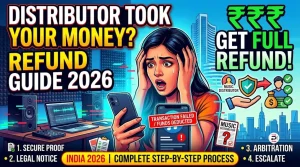
For complete consumer protection action details, see our music distributor refund guide.
Direct Streaming Platform Takedown (Emergency Recourse)
When a distributor is genuinely unresponsive (shutdown, abandoned, or refusing legitimate request), streaming platforms accept direct takedown requests from verified rights holders. This is an exceptional process for emergencies.
Spotify Direct Takedown
Spotify accepts direct takedown requests from rights holders through Spotify for Artists support. Process: claim Spotify for Artists access. Open support ticket with verified rights holder claim. Provide release information and reason for direct takedown (distributor unresponsive). Spotify reviews and processes. Note: this is an exception not a standard process. Spotify prefers takedown to originate from distributors.
Apple Music Direct Takedown
Apple Music has a rights holder support process through Apple Music for Artists. Similar exception process available when distributor fails to action takedown. Provide rights documentation and reason.
JioSaavn Direct Contact
JioSaavn accepts rights holder contact through their support channels. Indian artists have advantage of language support and Indian jurisdiction for any disputes. JioSaavn can process emergency takedowns when the distributor is non-functional.
YouTube Music Direct Process
YouTube Music takedown follows YouTube takedown procedures. Rights holders can submit takedowns through YouTube’s standard rights management system if the distributor is unresponsive.
Post-Takedown Re-Release Strategy
After complete takedown, if you want to release the music (or remastered/updated version) again:
Step 1. Confirm Complete Takedown Across All Platforms
Wait at least 21 days and search all major platforms. Music must be fully gone before re-release to avoid duplicate content issues.
Step 2. Choose New Distributor (Avoid Previous Bad One)
Sign up with a reliable new distributor. For Indian artists, choose India-based distribution with INR pricing, caller tune coverage, and Indian legal jurisdiction. See music distribution overview or
Step 3. Re-Master or Re-Record If Needed
If takedown was due to audio quality issues, take advantage of this clean slate to remaster, remix, or re-record. Higher quality re-release has more chance of organic growth.
Step 4. Submit With New ISRCs (Cannot Reuse Old)
After full takedown, your previous ISRCs are retired. The new distributor will assign fresh ISRCs. Cannot reuse old ISRCs since they were associated with takedown release. This means streaming history will start fresh.
Step 5. Plan Promotion for Fresh Release
Treat re-release as a new release with a full promotion campaign. Spotify for Artists editorial pitching available since this counts as a new release. Build new momentum without legacy data.
Common Takedown Mistakes Indian Artists Make
1. Choosing Takedown When Switching Would Serve Better
Many artists default to full takedown when distributor switching with ISRC preservation would serve their actual goal of moving to a better distributor while preserving streaming history. Verify takedown is what you actually need.
2. Not Documenting Takedown Submission
Submitting takedown requests without saving confirmation creates problems if the distributor fails to process. Always screenshot or save email confirmation of takedown requests.
3. Not Verifying Across All Platforms
Checking only Spotify and assuming other platforms followed is risky. Verify Spotify, Apple Music, JioSaavn, YouTube Music, and any other platforms independently.
4. Re-Releasing Before Takedown Complete
Releasing new versions while old versions still appearing on some platforms creates duplicate content issues. Wait until full takedown is verified before re-releasing.
5. Not Canceling Distributor Subscription After Takedown
DistroKid yearly subscription continues unless explicitly canceled. Taking down music does not cancel subscriptions. Check subscription status separately.
6. Expecting Same ISRC for Re-Release
After full takedown, ISRCs are retired. Re-release gets new ISRCs. Cannot continue old streaming history this way – that requires switching not takedown.
Frequently Asked Questions
How do I remove music from the distributor?
Log into distributor dashboard, find release, submit takedown request through distributor process, document submission, monitor platforms 7-21 days for removal. Each distributor is slightly different: DistroKid dashboard, TuneCore support, CD Baby dashboard, TBT Indian support team.
How long does takedown take?
7-21 days typically. Distributor processes 1-7 days, then platforms remove (Spotify 3-14 days, Apple 5-14 days, JioSaavn variable, YouTube Music 3-10 days). Verify after 21 days across all platforms.
Can the distributor refuse takedown?
Generally not since you own rights. Legitimate delays: account verification, processing periods, documentation. Illegitimate refusals: vague reasons, demanding extra payment, indefinite stalling. For illegitimate refusal escalate to Consumer Helpline 1800-11-4000.
Difference between takedown and switching?
Takedown: music removed entirely, streaming history lost, re-release as new with new ISRCs. Switching: music stays live, ISRC continuity preserves streaming history. See switching guide.
How to force distributor takedown?
Formal written demand → wait 14 days → Consumer Helpline 1800-11-4000 → streaming platforms directly with rights documentation → consumer court if substantial. India-based distributors are easier to pursue than US-based.
Can I re-release after takedown?
Yes with new distributors and new ISRCs. Treated as a new release on platforms (new date, fresh signals, no legacy history). Old ISRCs retired permanently after full takedown.
How to take music off Spotify specifically?
Through distributor (standard route) – 3-14 days typical. Direct Spotify takedown only in emergency when distributor unresponsive – via Spotify for Artists support with rights documentation. The distributor route is standard.
Does takedown affect Spotify for Artists profile?
No. Profile, followers, monthly listener history preserved. Only the specific tracks come down. Other catalog tracks are unaffected. Profile remains active for future releases.
Conclusion
Music takedown from a bad distributor in India 2026 is achievable through standard distributor processes within 7-21 days typically. The key decision before takedown is whether full removal serves your goal better than distributor switching with ISRC preservation. Many artists who initially want takedown actually need switching.
For genuine takedown situations (copyright issues, fresh start, distributor abandonment), follow distributor-specific processes and verify across all platforms after 21 days. If distributor refuses legitimate takedown, escalate through Consumer Helpline 1800-11-4000, then streaming platforms directly with rights documentation. India-based distributors are subject to Indian consumer protection making enforcement easier than against US-based services.
After successful takedown, choose a better distribution for re-release or future music. Get started with The Black Turn for India-based distribution at ₹599-799 lifetime per release with Indian legal jurisdiction, transparent terms, IST customer support, and complete platform coverage including all 4 caller tune networks.
Choose distributors that will not require takedown action later. Established services with multi-year track record, Indian legal jurisdiction, transparent operations, and reliable customer support are unlikely to create takedown situations. The best takedown is the one you never need to do.